Payroll hours from real clock-ins, not from paper registers.
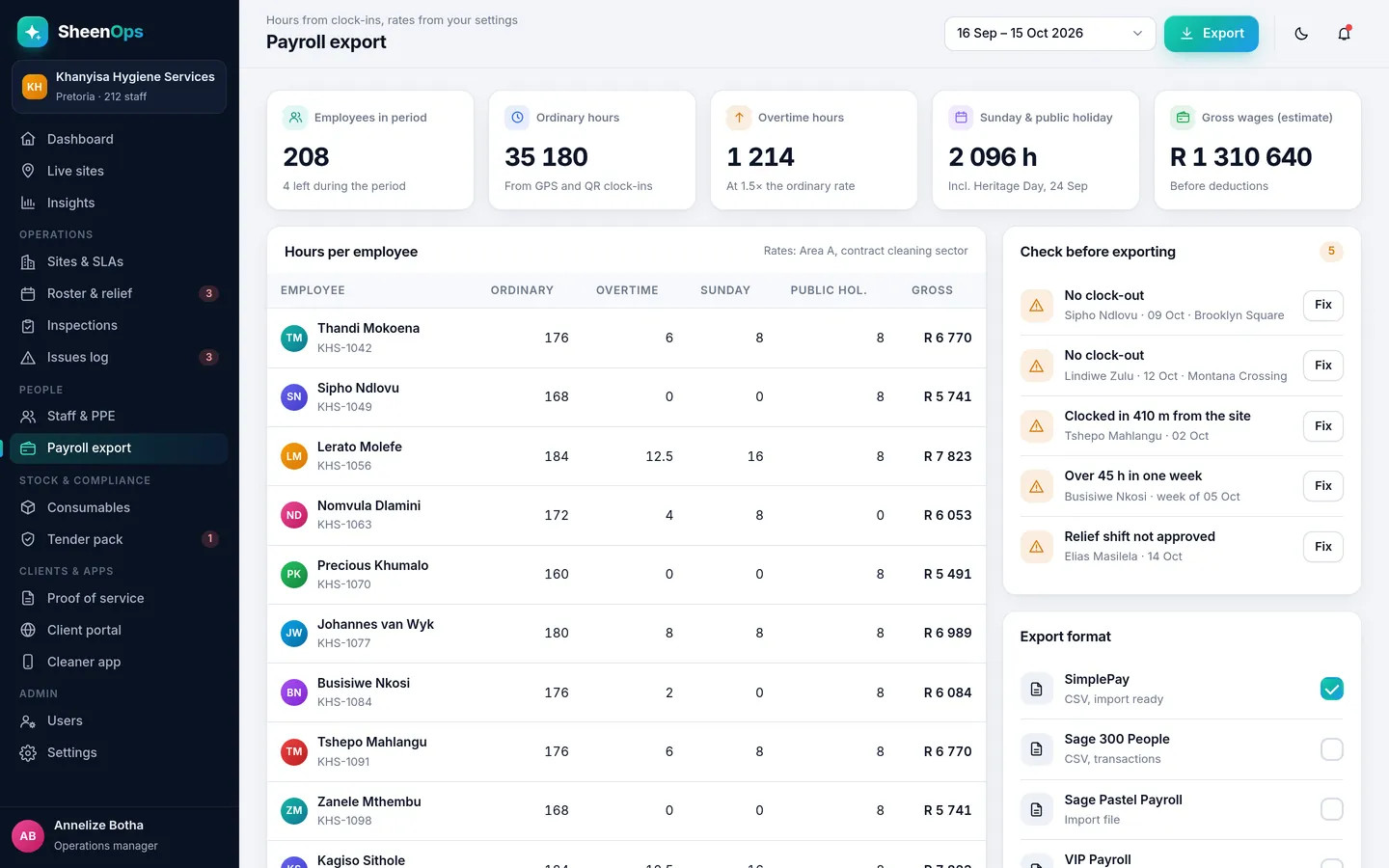
SheenOps adds up each cleaner's hours from their clock-ins: normal time, overtime, Sunday and public holiday hours. Check the exceptions, then export the file for your payroll system.
How it works, simply
At the end of the pay period, open Payroll export. Each cleaner's hours are already worked out from their clock-ins and clock-outs, with relief shifts included. Fix anything that looks wrong, approve, and download the file for your payroll.
What you get
- Normal, overtime, Sunday and public holiday hours
- Rates set per area or contract, in rands
- Exceptions listed: missed clock-outs, short shifts
- CSV export for your payroll software
Why it matters for your contracts
Cleaning contracts in South Africa are renewed on trust and lost on complaints. Payroll export turns the work your team already does into proof you can show the client, without extra admin for your supervisors.
It is one module of SheenOps. Use it on its own, or with consumables per site and client reports for the full picture.
Payroll export: questions
Which payroll systems does it work with?
SheenOps exports a CSV file that most South African payroll systems can import. During the demo we match the columns to the system you use.
How much does SheenOps cost?
It depends on the modules you switch on and the size of your team. Ask for access to a working demo or WhatsApp us, and we will send you a quote that fits your company.
See SheenOps with your own sites
Ask for access to a working demo. We set it up with your sites and checklists, and give you a login to test it with your team. Or WhatsApp us with a text or voice note.